
Web application development
Custom
web application development
Less manual work. More control. Unlike a presentation website, a web application has accounts, data and workflows - we develop it tailored to your business, team and users. Connect tasks, data and work processes in a tool that follows the way you actually work.
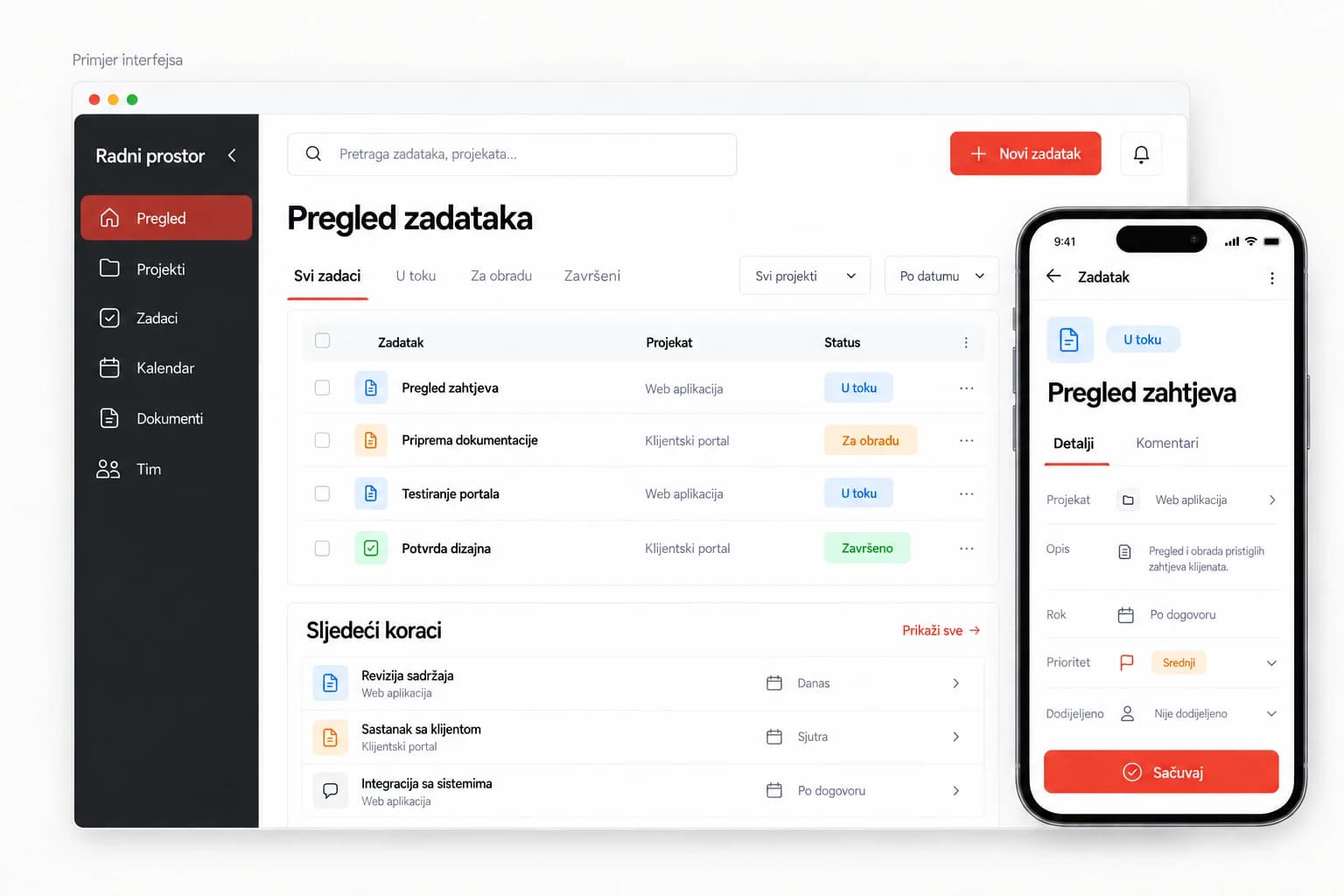
Example use cases
When a website is not enough.
A website presents your business. A web application lets users actually do something: submit a request, manage data, book an appointment or follow their project.
Client portal
Access to documents, requests, statuses and communication in one place.
Internal business tool
Records, tasks, approvals and workflows tailored to your team.
Bookings and records
Managing appointments, registrations, availability and related data.
Interface example - a demonstration view, no real data.
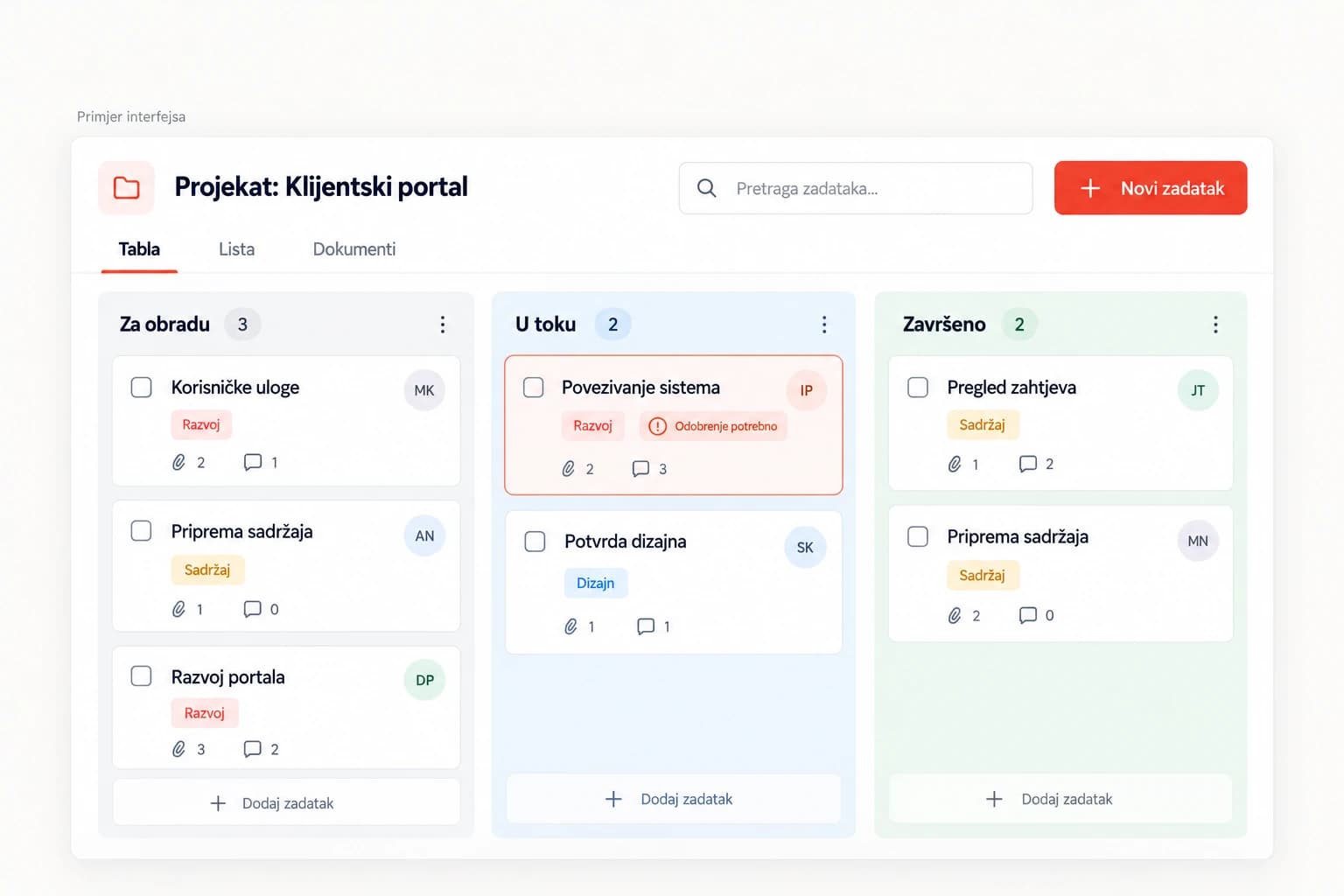
Built around your process
Your process.
Your application.
We start from your process and then shape the features that make everyday work easier.
- User rolesDifferent access levels for administrators, employees, associates and clients.
- Task automationNotifications, task assignments and status changes according to agreed rules.
- Connecting with your existing toolsIntegrations with the services and systems you already use, where their APIs and terms allow it.
A reliable foundation
Simple to use. Serious behind the scenes.
An intuitive user experience for your team and clients, on stable, proven technology. Features are defined according to the scope of the project.
- Role-based accessEveryone sees only what they need for their work.
- Works on the phoneAn interface adapted to smaller screens, for work outside the office too.
- Activity historyA clear record of important changes and who made them.
- Backups and maintenanceRegular backups and technical support according to the agreed maintenance plan.
How we work
From an idea to a tool your team uses.
A clear process with no unknowns. At every step you know what comes next.
- 01Process analysisWe get to know the users, the problems and the way you currently work.
- 02PrototypeWe define the key screens and flows before development.
- 03Development and testingWe build the agreed features and check them against real scenarios.
- 04Launch and supportWe prepare the application for use and agree maintenance and further development.
Collaboration
Follow development through Culin Panel.
Materials, tasks, comments and approvals are linked to your project, so you know what has been done and what the next step is.
- Clear tasks, materials and approvals
- Direct communication with the team
- Overview of phases and deadlines
- Everything in one place
We build the web application for you and your users. Culin Panel is the space where you follow the collaboration and development of that project.
Discover Culin Panel
Proposal
First we define the scope.
Then the proposal.
The price depends on the features, user roles, integrations and the complexity of the process. Once we know the project, we prepare a proposal for a specific scope of work.
Describe your ideaMaintenance is required with every website build and billed separately.
Features
We define the key functions and modules according to your processes.
User roles
We determine roles, access levels and data permissions.
Integrations
Where needed, we connect the application with existing systems and services.
Frequently asked questions
Developing a product for multiple users or organisations?
See SaaS platformsCan the application work on a phone?
Yes, the interface adapts to mobile devices. Special capabilities such as offline use or installation as a PWA are agreed according to the project's needs.
Can it connect with existing software?
We check the possibility of a connection based on the available APIs, documentation and terms of the specific system.
Do I need a web application or a SaaS platform?
A web application can be a tool for your company or your users. SaaS is a model in which you provide the product to a larger number of users or organisations as a service, often through a subscription. A SaaS platform can be built as a web application.
How are the price and timeframe determined?
Once the key features, integrations and development phases are defined, we prepare a proposal and a plan.
Let's get acquainted
Which process would you like to simplify?
Describe how you work today and what you would like to be simpler.